Trim Spending
A short audit of overlapping spend, then one plan card per thing you picked to cancel.
Tap Trim Spending on the Plan tab. SpendingTrimContent.
Intro
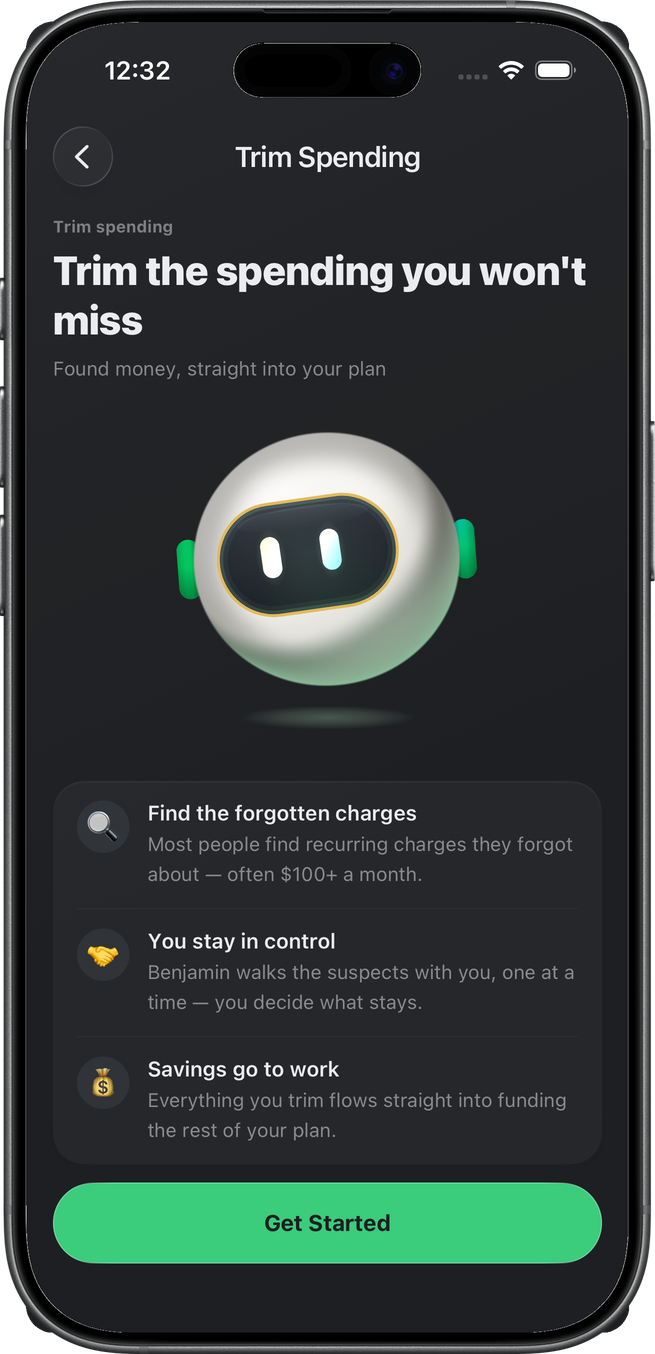
Benjamin and three reasons to look. Get Started runs (or reuses) the spending audit.
Finding
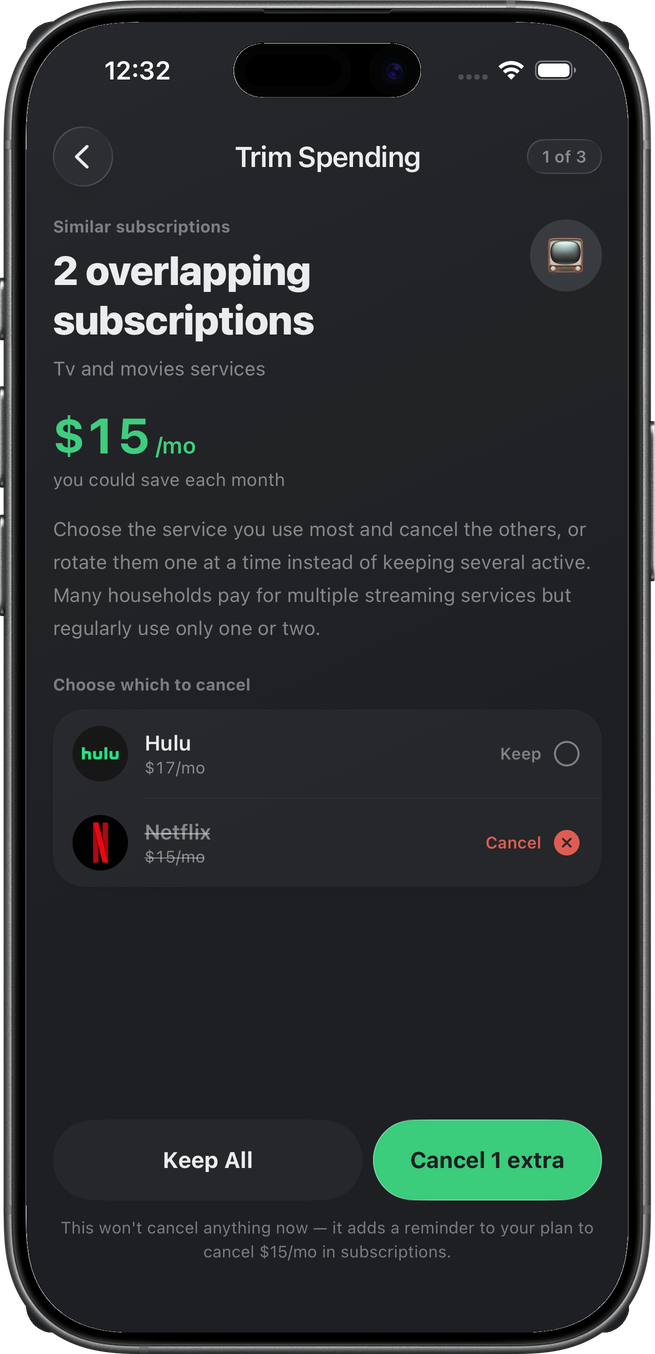
This account’s deck had three findings. One archetype is enough: overlapping TV subscriptions. Netflix is marked Cancel, Hulu Keep. Cancel 1 extra — nothing cancels now; it becomes a reminder on the goal.
Empty decks skip this and land on Sounds Good.
Complete
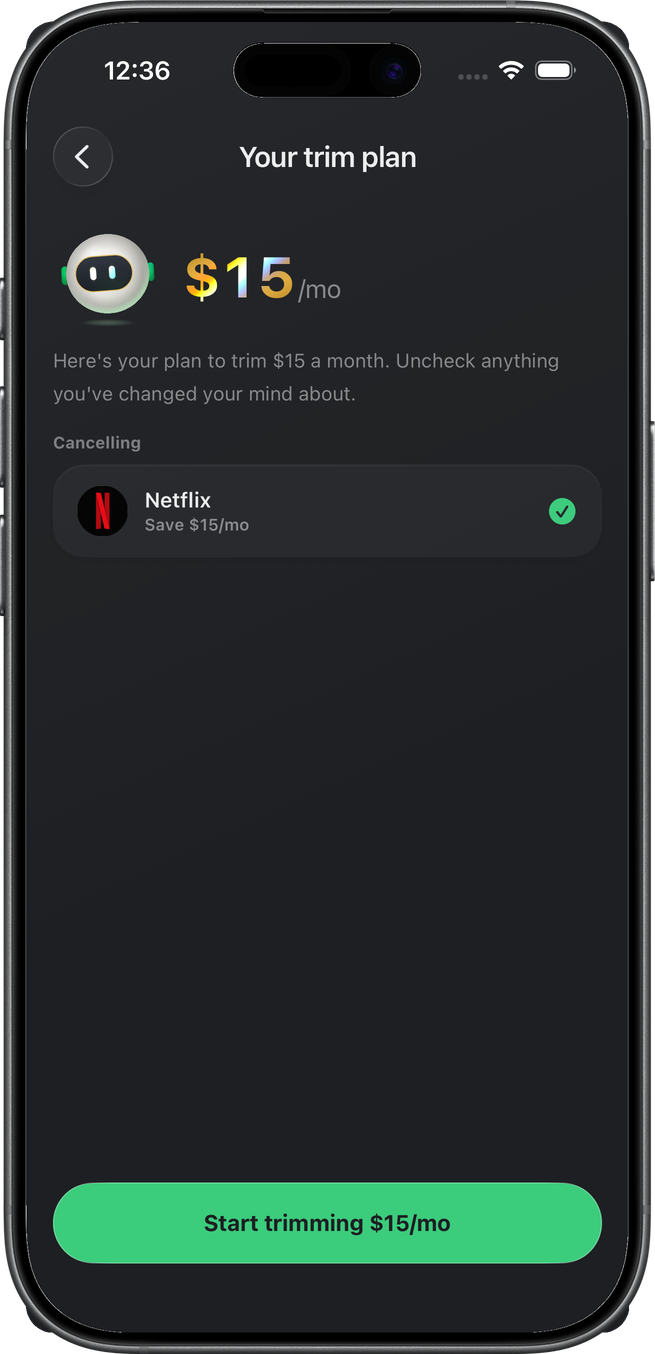
Your trim plan lists the cancel decisions. Uncheck anything that changed. Start trimming $15/mo creates the spending_trim goal and marks the starter completed, then lands you back on the Plan tab.
On the plan
There is no Trim Spending card. Each cancel or to-do you accepted is its own card under Working On — Cancel Netflix with the Netflix logo, a fees to-do with its category glyph — with a check on the right. Tap the card to tick it off; it moves to Completed, and a tap there brings it back. A cancel the app has verified (the charge stopped) is ticked for you and stays that way.
Budgets you set during the flow (a merchant cap, a category cap) are not plan cards. They show up with your other budgets under Needs and Wants.
The resulting cards are described on Plan under After that; this walk stops at the summary, so the plan state is not captured here.
Related
- Debt Review
- Emergency Fund
- Life Insurance
- Will & Trust
- Retirement
- Plan — Build Your Plan lined this up
- Savings — the pool this goal does not spend