Needs
Needs are essential expenses — housing, groceries, utilities, insurance, transportation, and minimum debt payments.
Wellthplan classifies each transaction as a Need or a Want; you can reclassify if we get it wrong. On Home Needs is the middle mini. The same screen with type=want is Wants. Set during sign-up; the amount cannot drop below detected recurring bills.
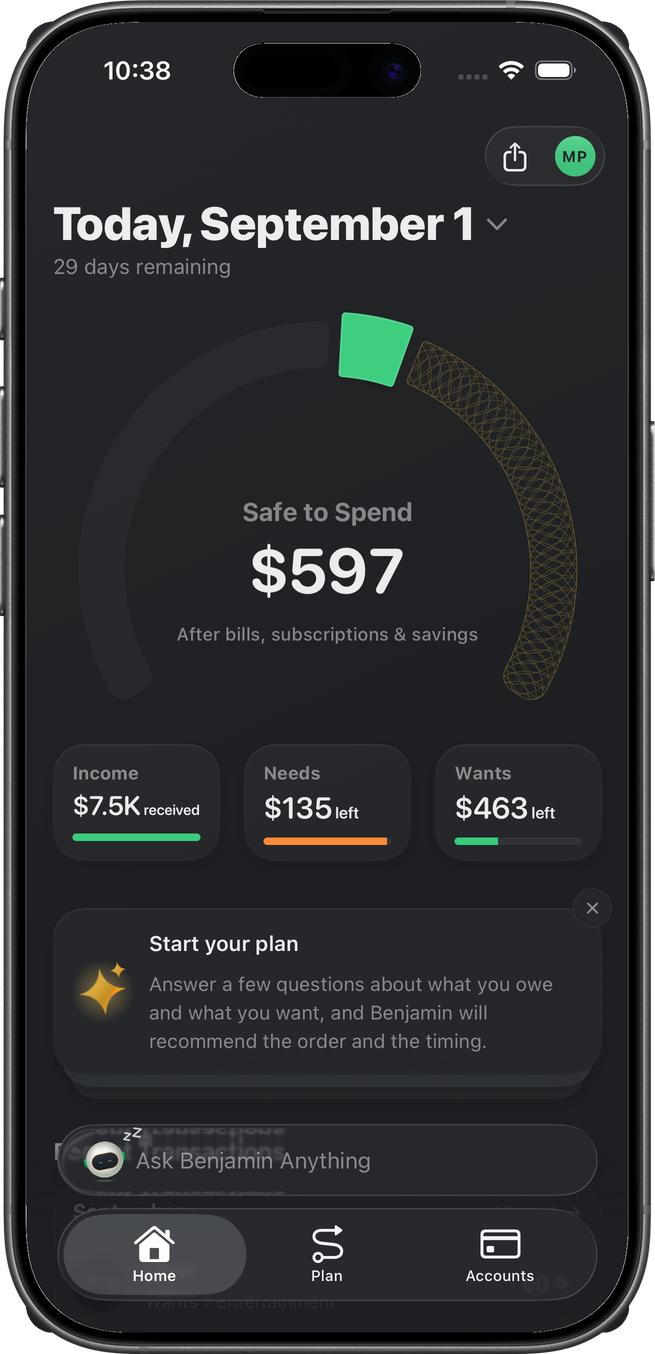
On Home
The Needs mini shows left (or over) against the monthly Needs budget.
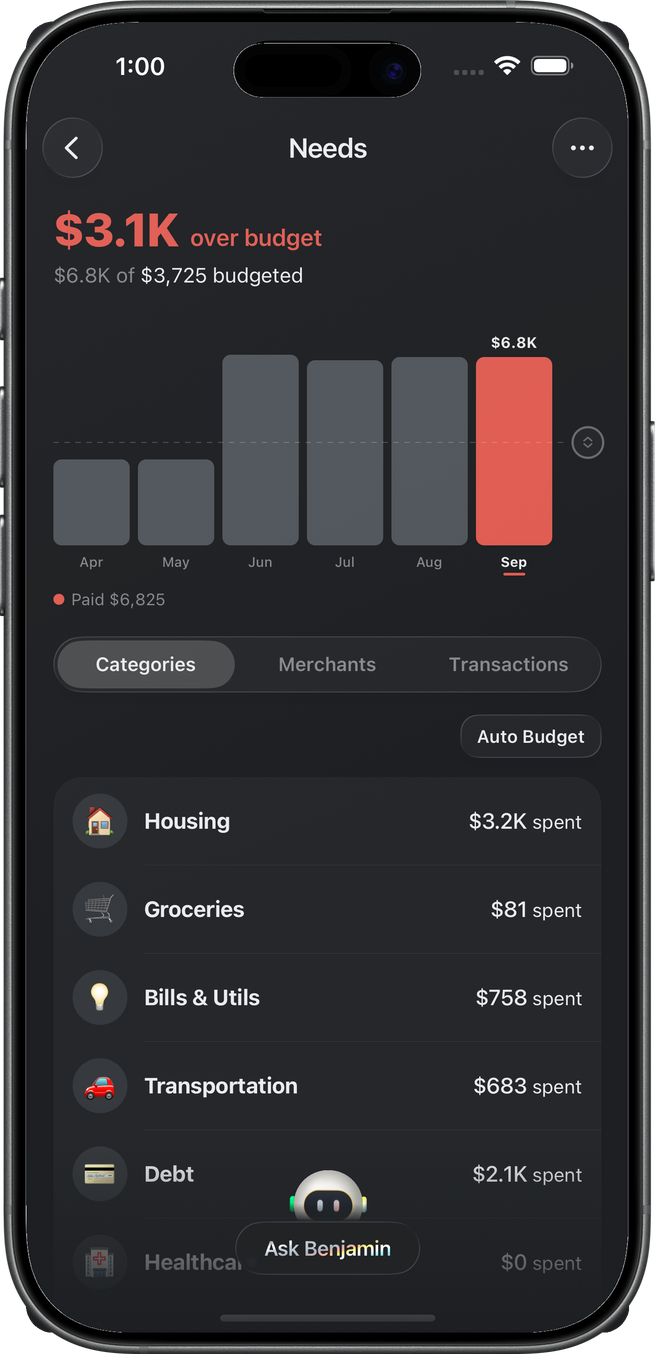
Needs detail
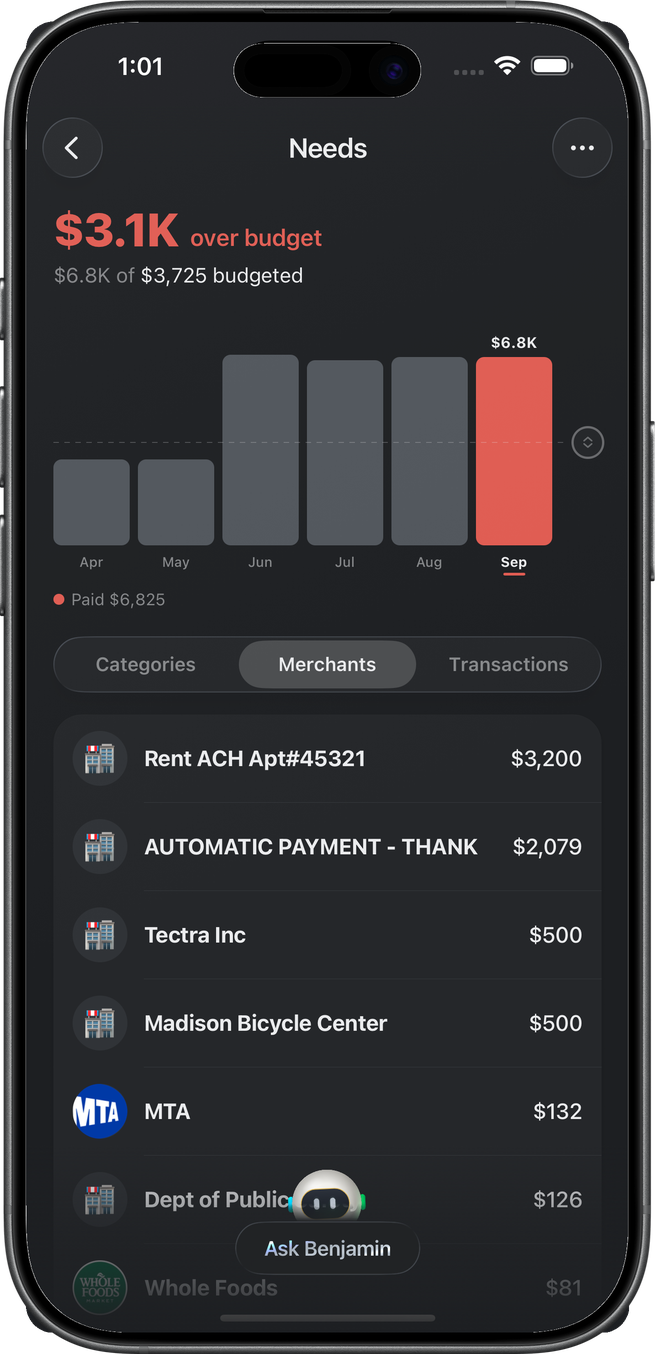
Tapping the mini opens the Needs page: what's left (or over) in the budget with a "$X of $Y October's budget" line under it (named for the month you're viewing; tap it to edit the amount), and a six-month spending chart — the same layout as a group detail page. The dashed allocation line is draggable and saves on release; the current month's bar splits paid (solid) from upcoming (tinted). Tapping a past month's bar switches the whole page to that month — the chart is the month picker.
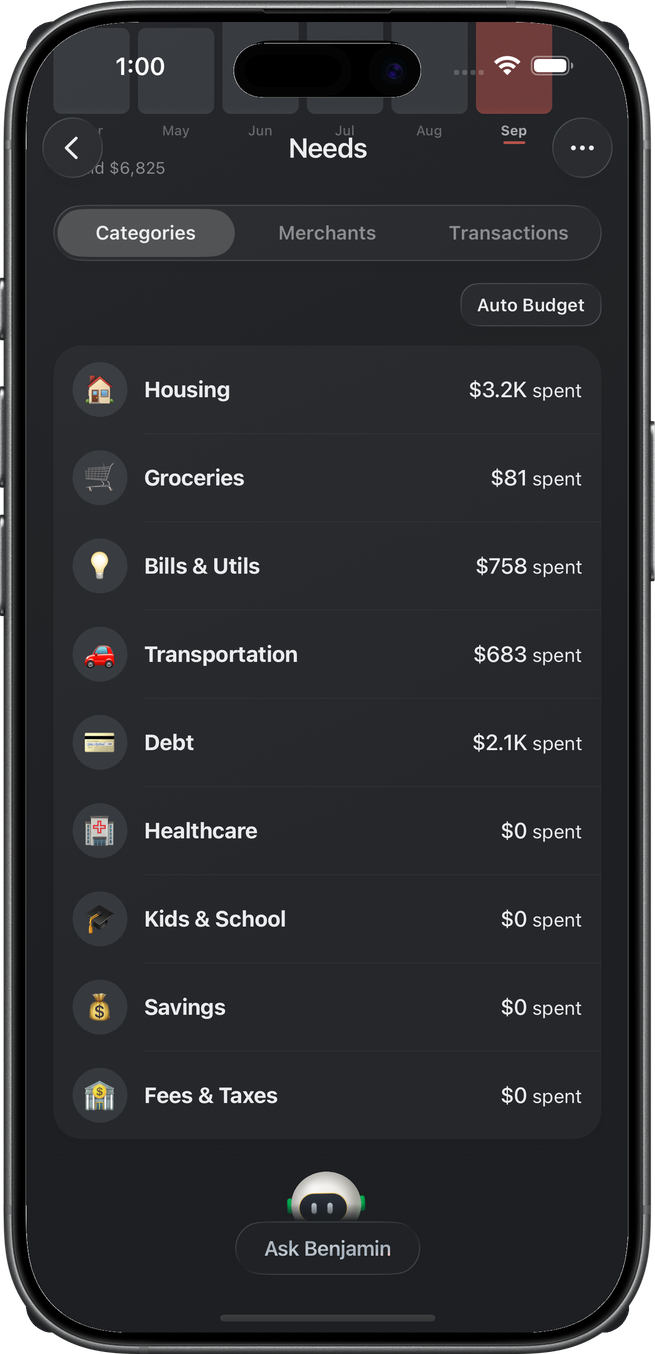
Categories, Merchants, and Transactions
Below the chart a segmented control browses the month three ways. Categories lists spending groups (Housing, Groceries, Bills & Utils, …) as rows in one card — "$X left"/"$X over" when a group has a budget, spend otherwise. Budgeted groups sit at the top of the list, with unbudgeted groups below in their default order. Groups at $0 can take a share via Auto Budget Categories in the header's ellipsis menu — a native confirmation describes the fill before anything is written, and amounts already set are never touched. Merchants aggregates the month by merchant, showing left/over against any individual merchant budget — a merchant with a budget is listed from the start of the month at "$X left", even before it has charged you. Transactions is the flat list where a swipe flips a row to Wants.
Group detail
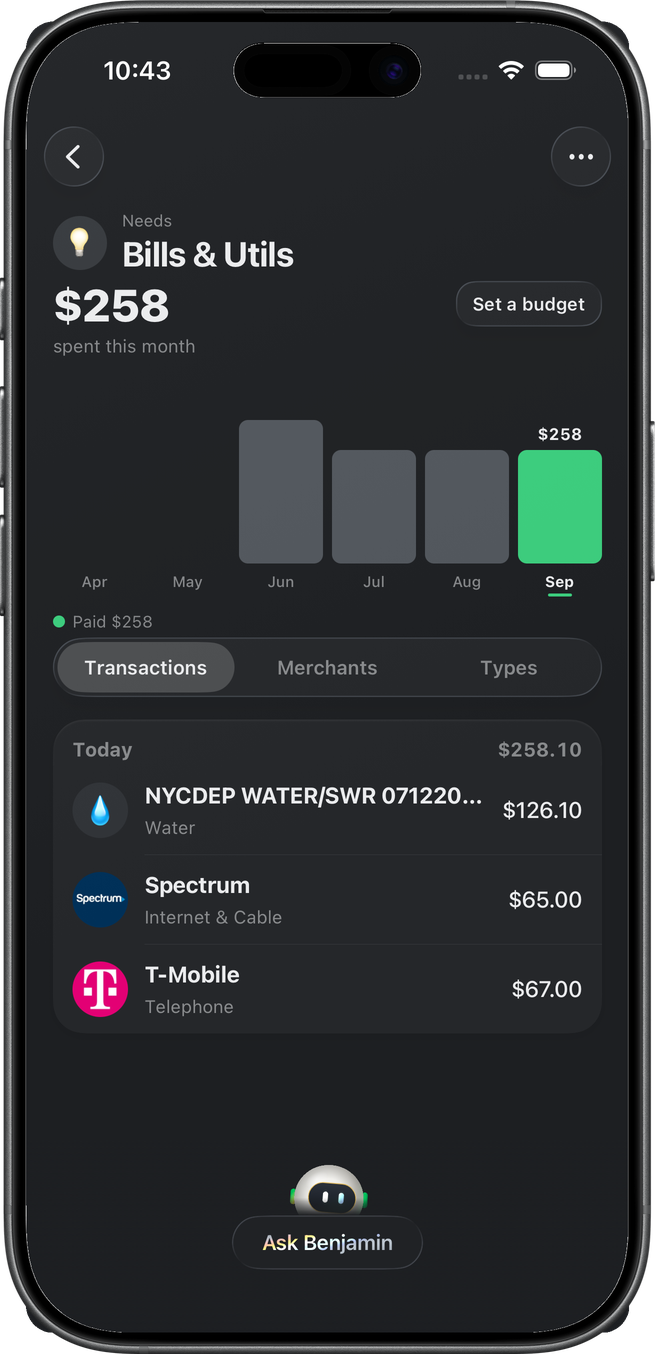
A group opens its own page with the same layout as the Needs page: the group name (with Needs/Wants under it) in the header, the "$X left"/"$X over" hero with its "$X of $Y budgeted" line, the six-month trend with a draggable budget line, and Transactions / Merchants / Types below. Budgets are set from the header's ellipsis menu (Add Budget / Edit Budget) or by dragging the chart line.