Recurring
Home’s Subscriptions & Bills card opens the recurring page — a month calendar of what has been charged and what is still due, with a List view of the subscriptions themselves behind a toggle.
Recurring is its own stack screen, separate from Transactions. A Calendar / List control sits under the title; Calendar is the default. A filter button sits top right. See Home for the card in context.
Subscriptions and Bills
A current-month calendar of recurring charges, with merchant marks on due days and the month’s total. This card always shows the live month, even if the dial is scrubbed to a past one. Tapping the card, the arrow, or a marked day opens the recurring page (and selects that day when you tap one).
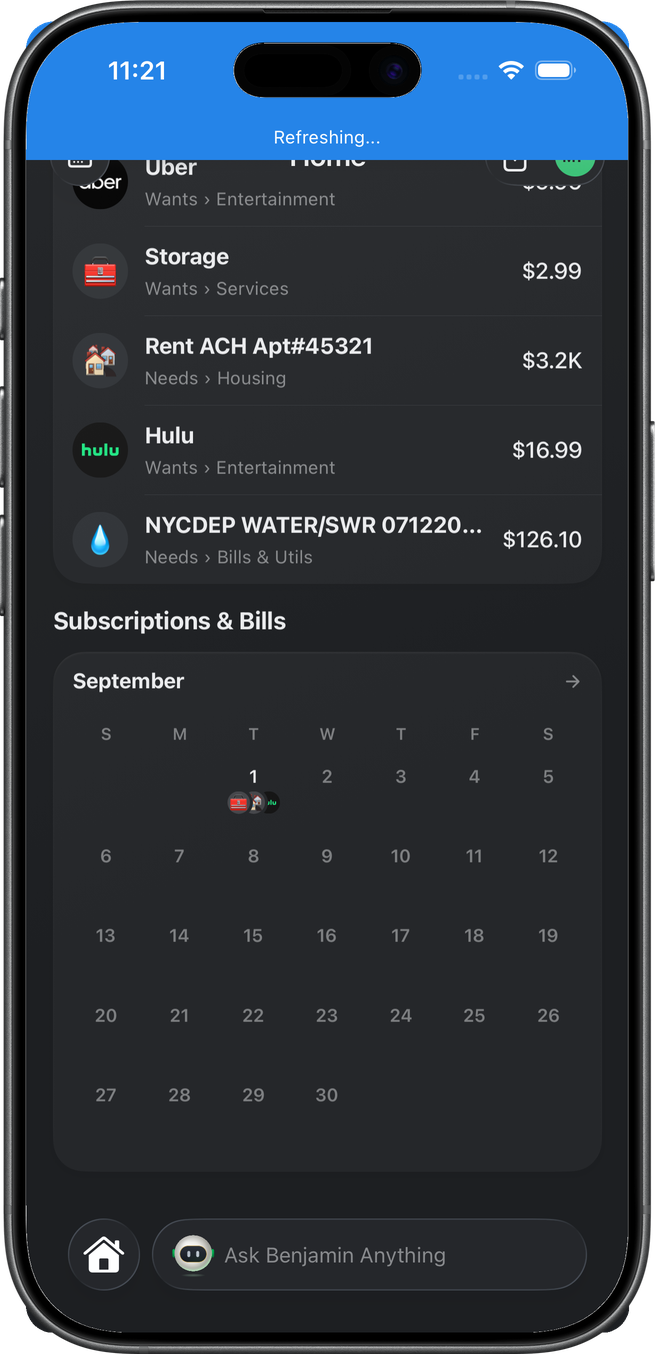
The page
A Subscriptions & Bills title with a back button on the left and a filter button on the right, then a Calendar / List segmented control. Calendar is selected by default (and whenever the page is opened from Home).
Filters
The filter button opens the same Filters sheet as Transactions, trimmed to what bills have: no Direction or Status card (every bill is money out), and the Category row offers only your Needs and Wants groups — no Income. The Merchant row lists the merchants in the upcoming window. The bottom button reads Show bills, and the filter button badges the number of active filters.
Calendar honors every filter: Date, Amount, Merchant, and Category all narrow the day marks and the rows below the grid. List honors Amount (against the pattern’s average) and Merchant only — Date and Category describe individual charges, not patterns, and are ignored there.
Calendar
The calendar card: month name, chevrons to step months, and a grid with merchant logos on due days. The selected day is outlined in green with no fill. Under the grid, the rows for the month — or for the selected day.
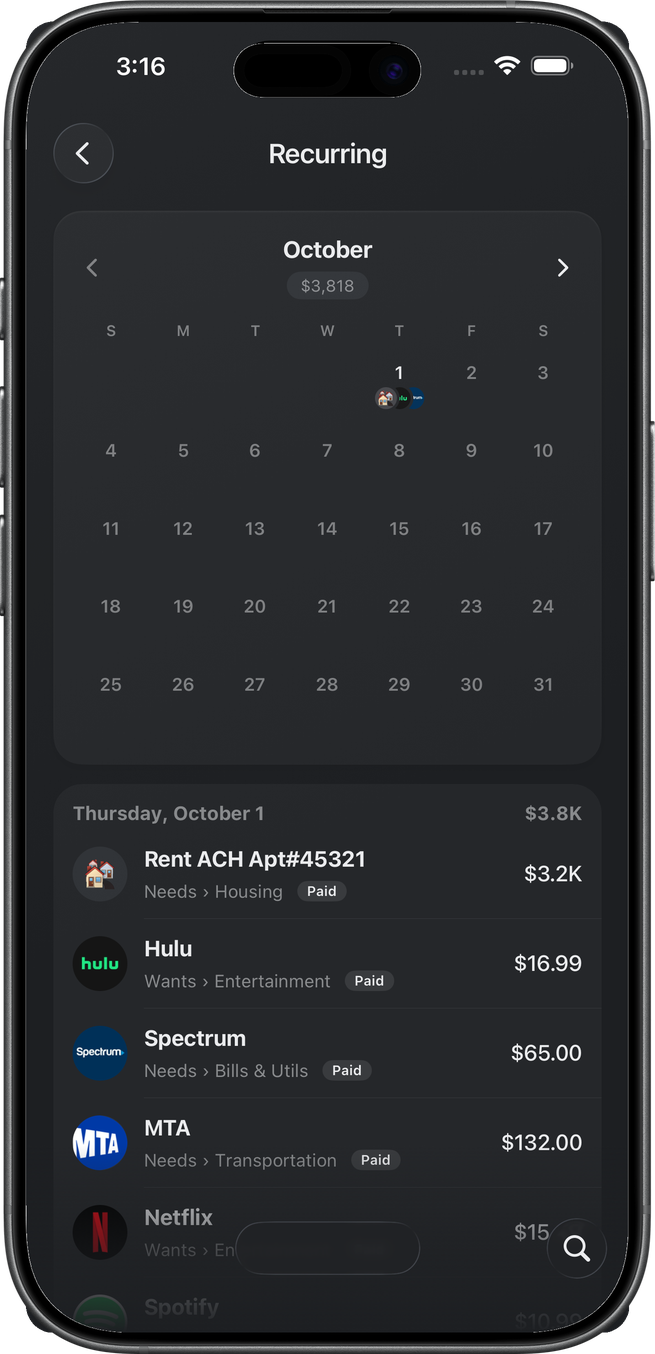
With no day selected the list below is every recurring charge in that month, soonest first, grouped by day. Rows that have already posted carry a Paid badge; rows still ahead show their due date, and a date that has passed without a charge is marked missed. Tap a day to narrow the list to that day; tap it again to go back to the whole month. A day with nothing due shows a plain No subscriptions or bills line on the page background — no card; a month with nothing due reads No subscriptions or bills this month the same way.
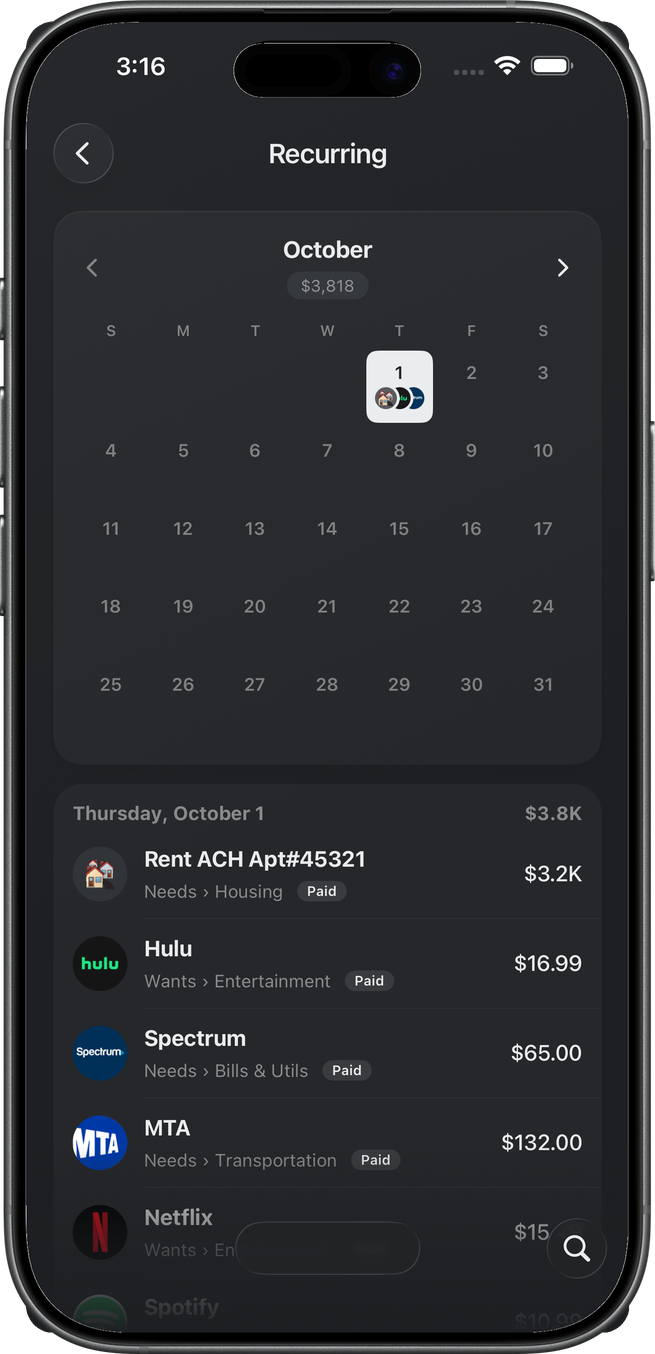
The chevrons move from the current month forward through the upcoming window (90 days). Past months are not browsable here — posted history lives in the transactions feed.
List
The List view shows the recurring patterns themselves — one row per subscription or bill, not one per charge — grouped into a card per cadence in this order: Daily, Weekly, Every 2 Weeks, Twice a Month, Monthly, Yearly, then Other for anything Plaid couldn’t pin down. Each card header carries the per-cycle total of its patterns (what one full run of that cadence costs; cancelled patterns count as $0). Inside a card, rows sort soonest-expected first, with cancelled patterns at the bottom.
A row shows the merchant logo (or category emoji), the name, and the average amount. The subtitle is Next <date> for an upcoming charge, Last paid <date> when there is no projected date, a Missed <date> pill when the expected date passed without a charge, or a muted Cancelled pill. No list screenshot in this walk.
Search in the Ask Benjamin dock filters either view by merchant name on the device.
Row detail
Every row in either view — paid or still due — opens recurring detail for the subscription (patternId, pinned to that row’s date): cadence, history, rename, category, cancelled flag, and Notes. A paid row here never opens the single charge; that lives in the transactions feed. Recurring detail itself is not this walk.
Related
- Home — the card under Recent Transactions
- Transactions — posted feed, detail, split, receipt, notes
- Insights — cards that can deep-link into a recurring row