Home
Home is the daily dashboard: one number to spend against, then the month’s activity.
Internally this tab is Now (route index). The tab label and floating header say Home. Tapping the greeting, a mini gauge, or a transaction row leaves the tab — those destinations are documented with their own surfaces, not here.
Overview
The screen opens on today’s date and how many days remain in the month. A calendar button (opens Cashflow) sits in the top-left corner and the share / space-avatar cluster in the top-right; both stay put while the Home title fades in as you scroll. The gauge, insights, and transactions revalidate automatically every time the tab regains focus.
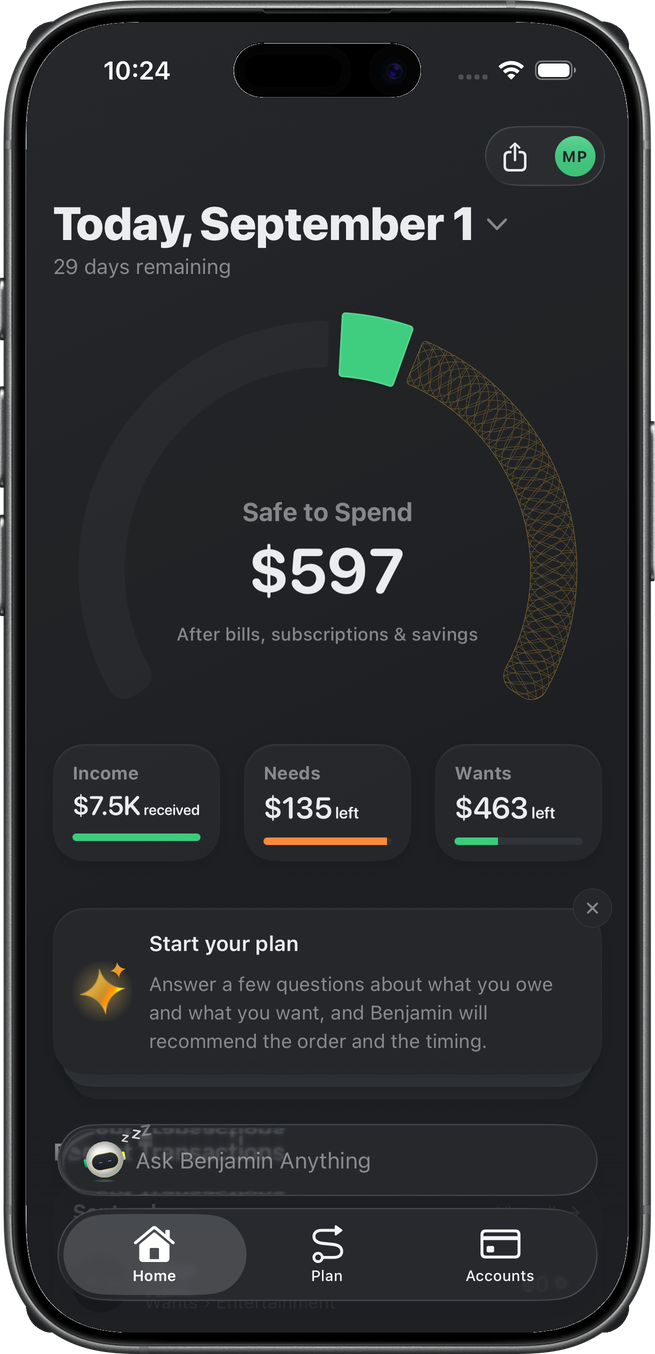
Safe to Spend
The semicircular dial is the month’s math: Spent (already gone, including upcoming bills), Safe (what’s left after needs, wants, and savings — current month only), and Wellth (the savings ring). Tapping the center cycles the readout; tapping a band jumps to that state. The dial opens on Safe for the current month — unless both Safe and Savings are already drained to $0, in which case it opens on Spent, the only band with anything left to say. A horizontal pan on the dial scrubs to another month — historical months hide Safe, because nothing unspent is still “safe to spend.”
Once the current month’s spend passes income, a second, thinner arc appears inside the dial: the month’s savings pool is gone, so the red fill shows how deep the overage has cut into total cash on hand (checking + savings balances), against a dim track that is the whole cash pool. It tells the Savings story, so it brightens with the Savings selection — whose readout flips in this state to From Savings with a minus-signed figure (the dollars pulled from savings this month) over a caption naming the pool it came from (“of $12.4K in cash savings”). The arc never appears on historical months. This account isn’t over income, so the over state isn’t pictured.
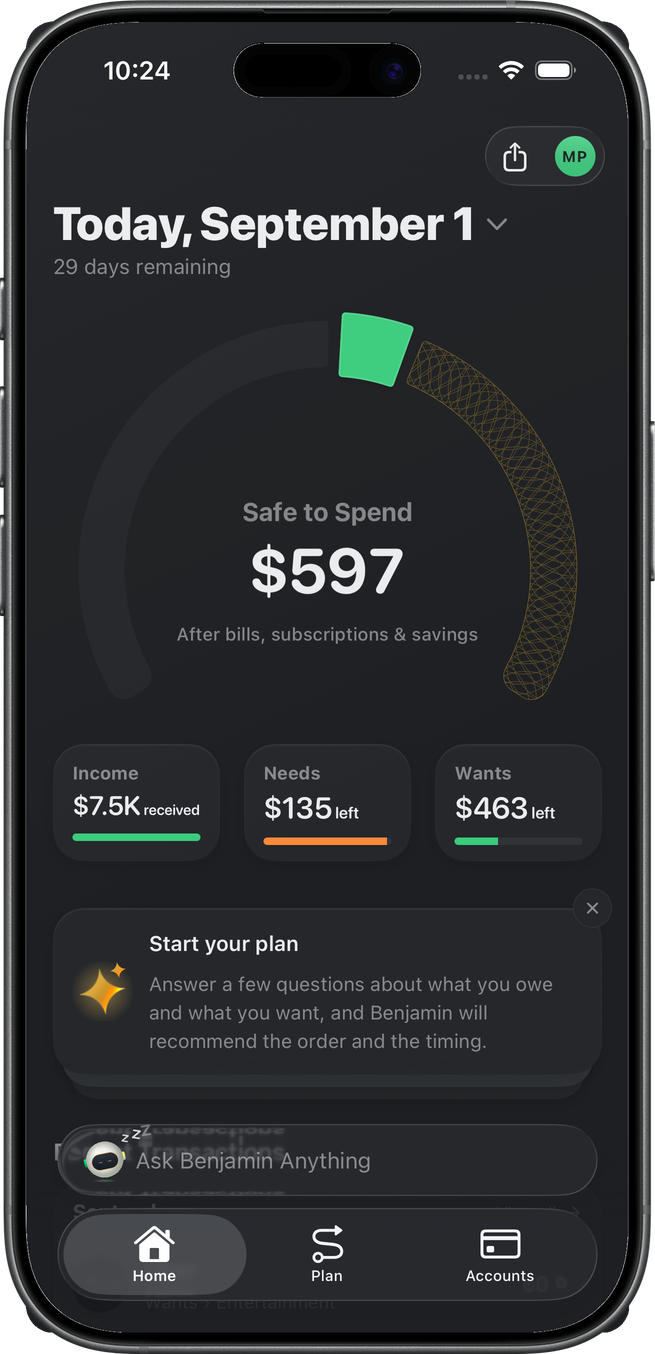
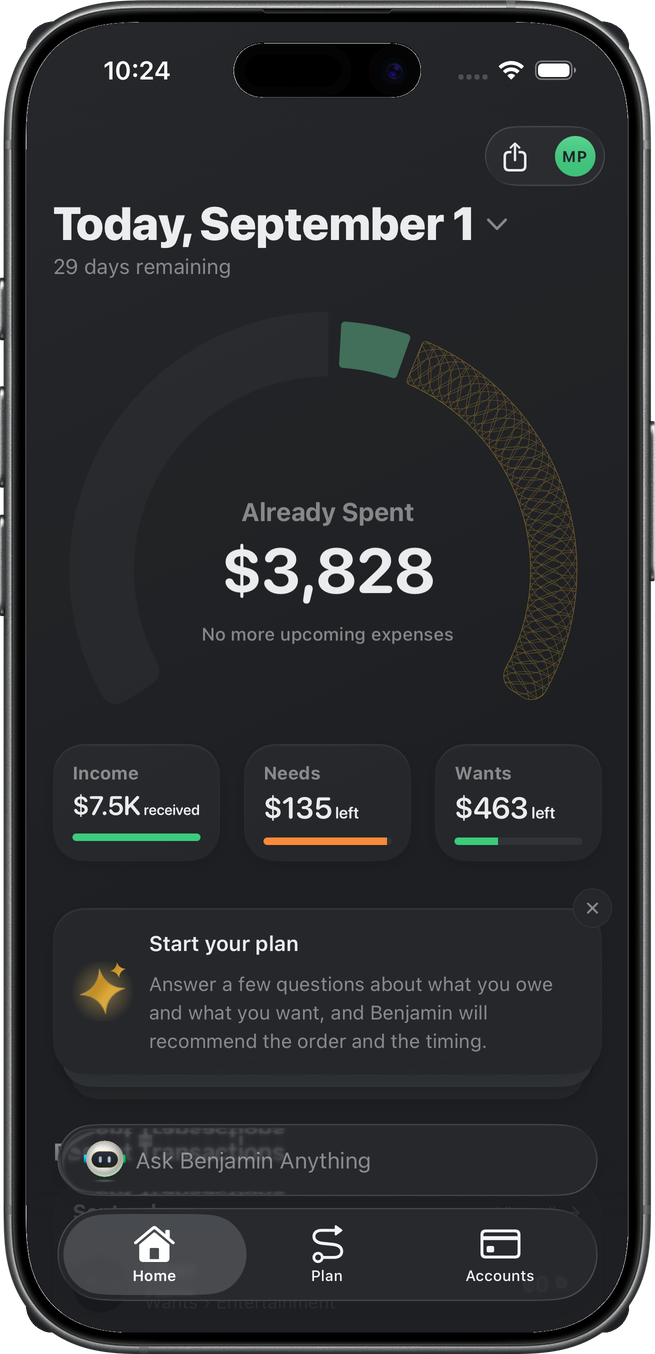
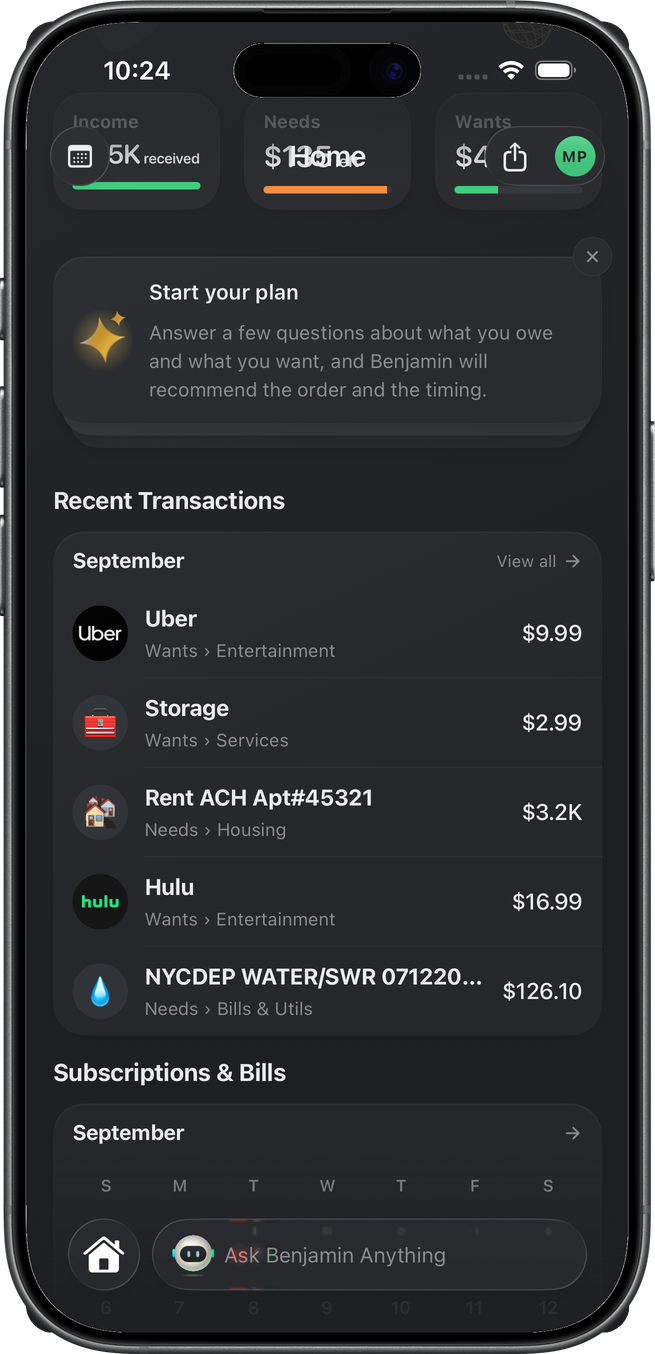
Income, Needs, and Wants
Three mini gauges sit under the dial: income received this month, needs left, and wants left. Tapping one opens Income, Needs, or Wants. The gold ring on the dial is Savings. The bars fill from the same now-summary numbers as the big dial.
Insights
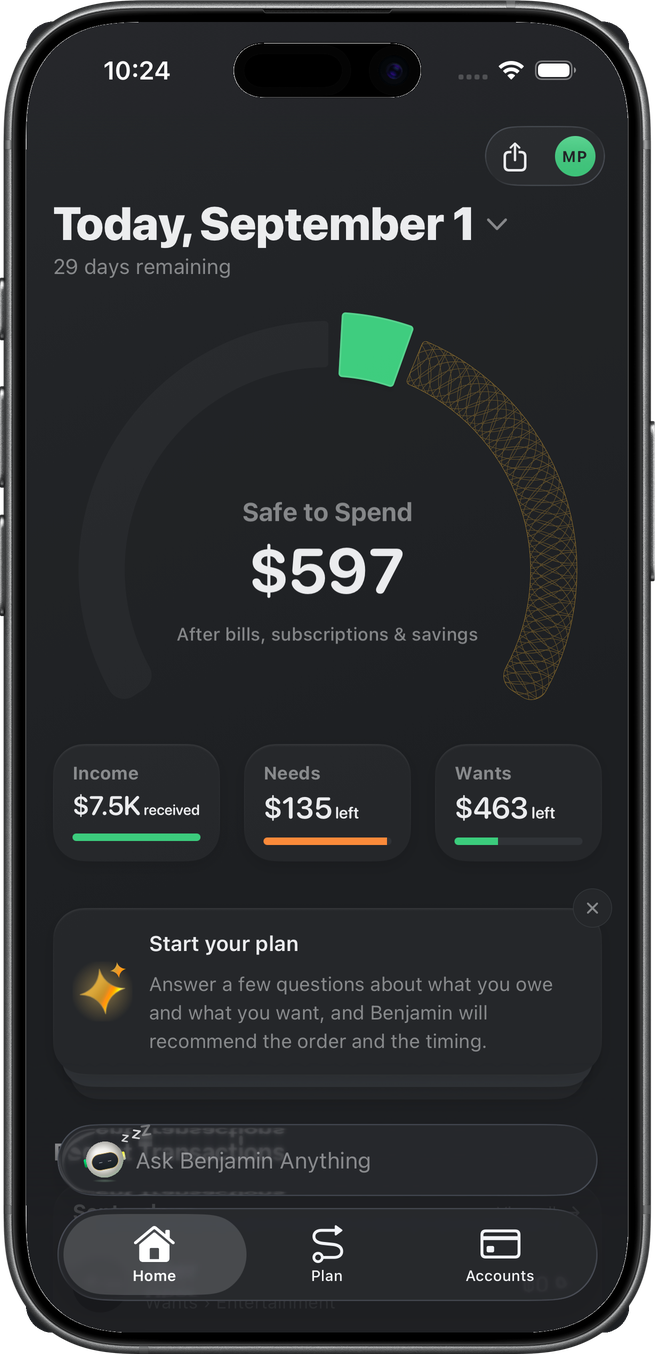
When the space has cards, a stack sits under the minis — at most two visible, plus a terminal “You’re all caught up” card. Swipe dismisses one; the corner control clears the stack. An empty API list unmounts the section entirely, so Home is just the gauge and the two cards below. Which cards appear is gated in Plan Settings — the full walk is Insights. A rundown card opens the week or month story.
Recent transactions
Up to five posted transactions for the selected month, with merchant, classification path, and amount. The card title and “View all” open the full list. A row opens that transaction; a swipe or long-press can flip need/want or split. “View all” lands on the transactions page.
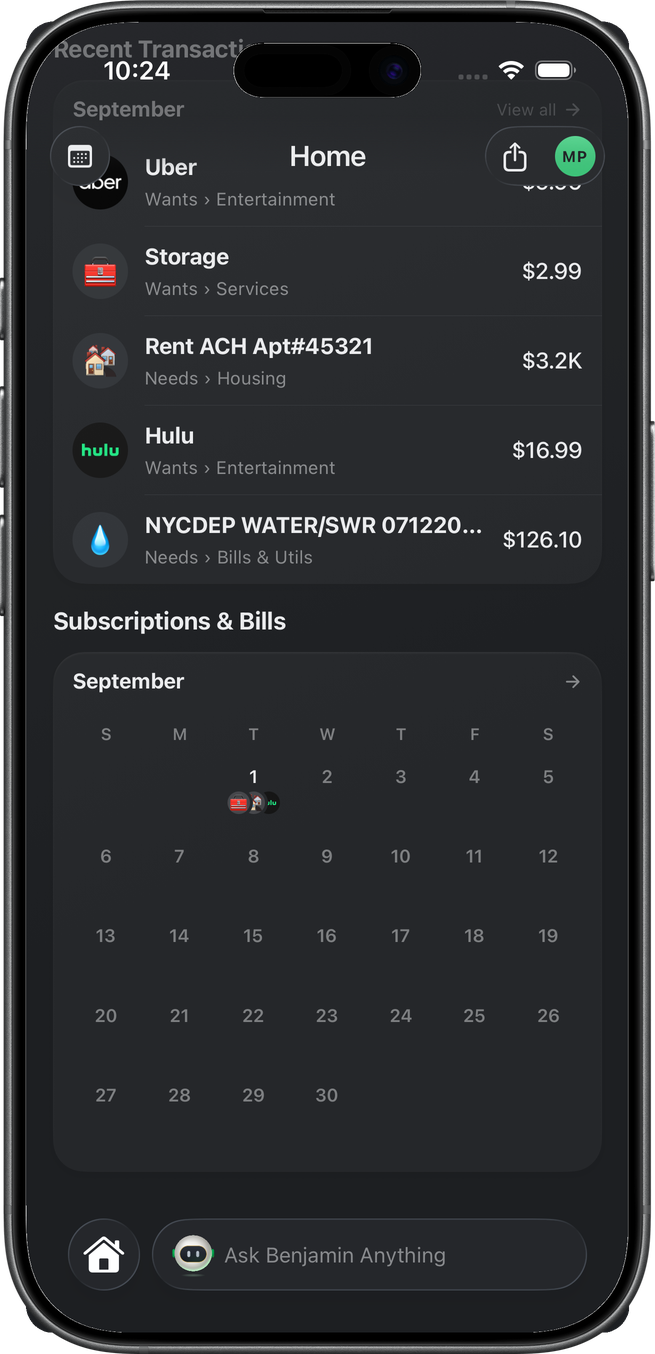
Subscriptions and Bills
A current-month calendar of recurring charges, with merchant marks on due days and an upcoming total. This card always shows the live month, even if the dial is scrubbed to a past one. Tapping the card or a day opens the recurring page, with that day selected.
Chrome
The three Home queries revalidate on every tab focus — there is no pull-to-refresh. On iOS, Ask Benjamin sits in the tab-bar accessory (and minimizes with the bar on scroll). The avatar menu reaches Plan Settings, Switch Plan, Account, and Sign Out — those screens are not Home.