Accounts
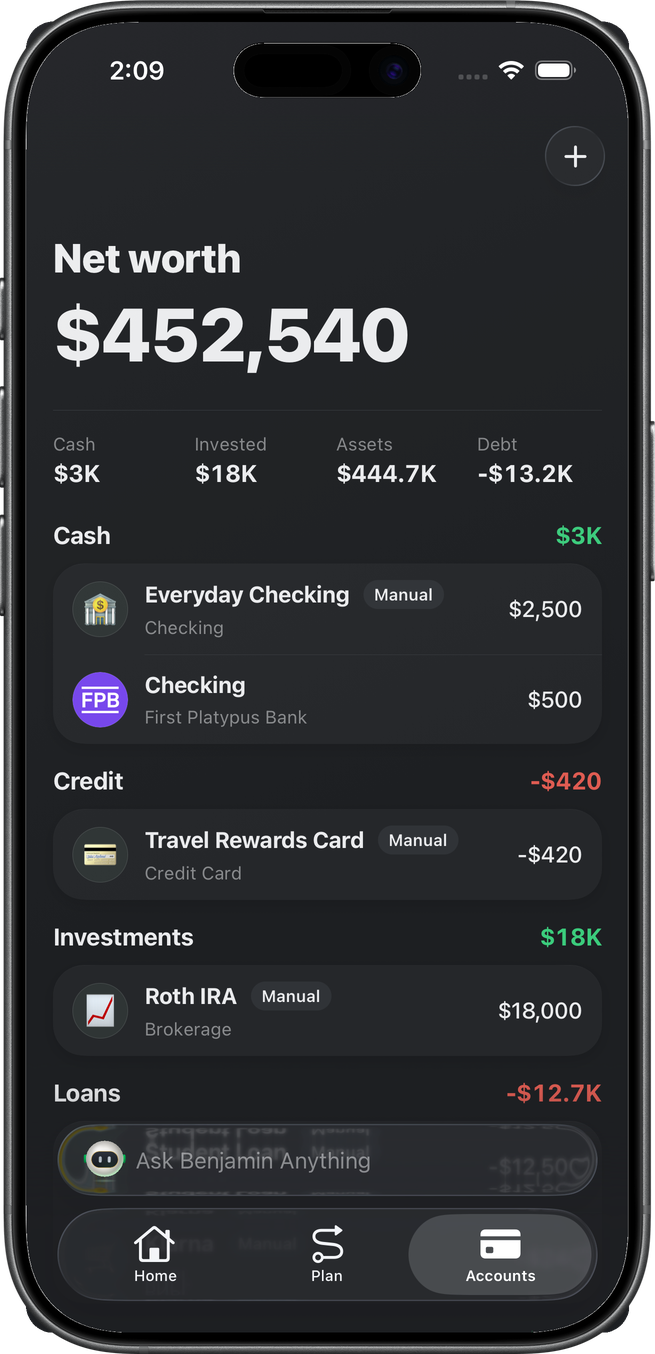
The Accounts tab is net worth — Cash, Invested, Assets, and Debt — not the month’s spend.
Home is Safe to Spend. Those numbers are orthogonal: adding a house or a Roth IRA moves this hero and leaves the Home dial alone. Home / Savings / Plan shots on those pages were captured before the adds below, so their totals will not match this tab.
AccountsContent. Header + opens Add Account.
Tab
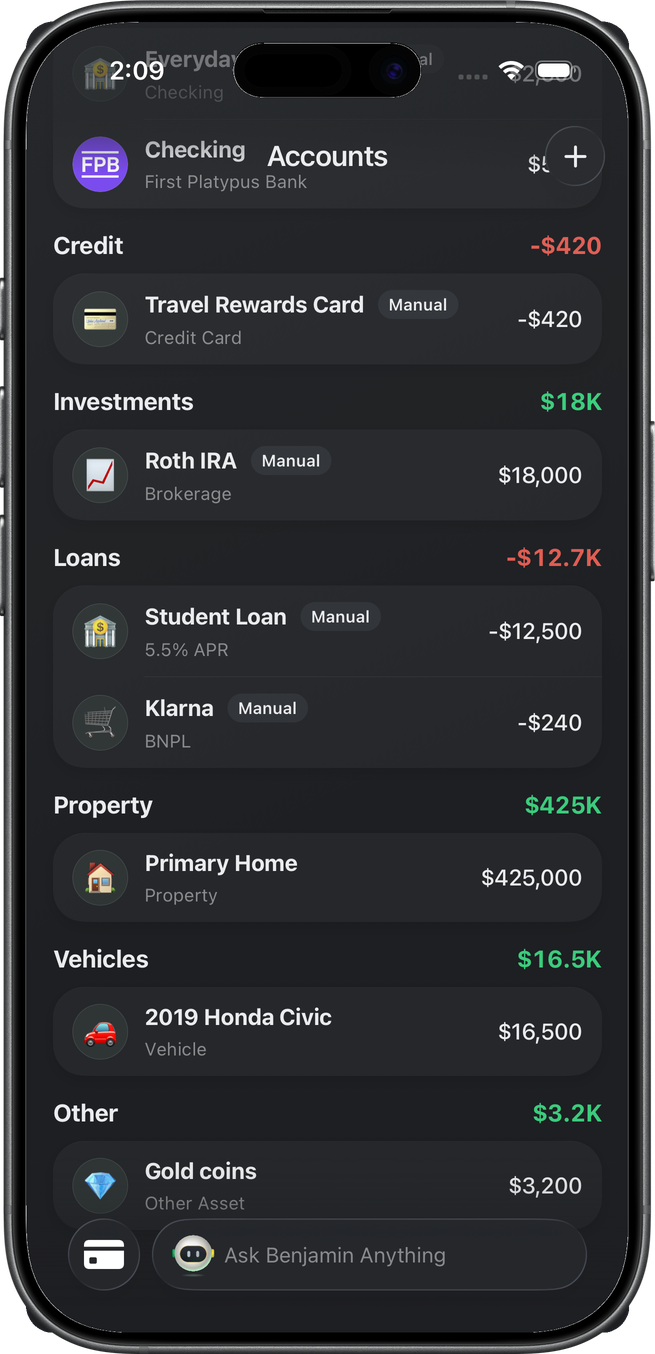
Net worth on top, then four chips (Cash / Invested / Assets / Debt). Rows group into cash | credit | investments | loans | property | vehicles | other. A row tap opens detail. The tab reloads its accounts and balances every time it regains focus.
This space already had Plaid First Platypus Bank checking. Completing each catalog type fills the other sections.
Add Account
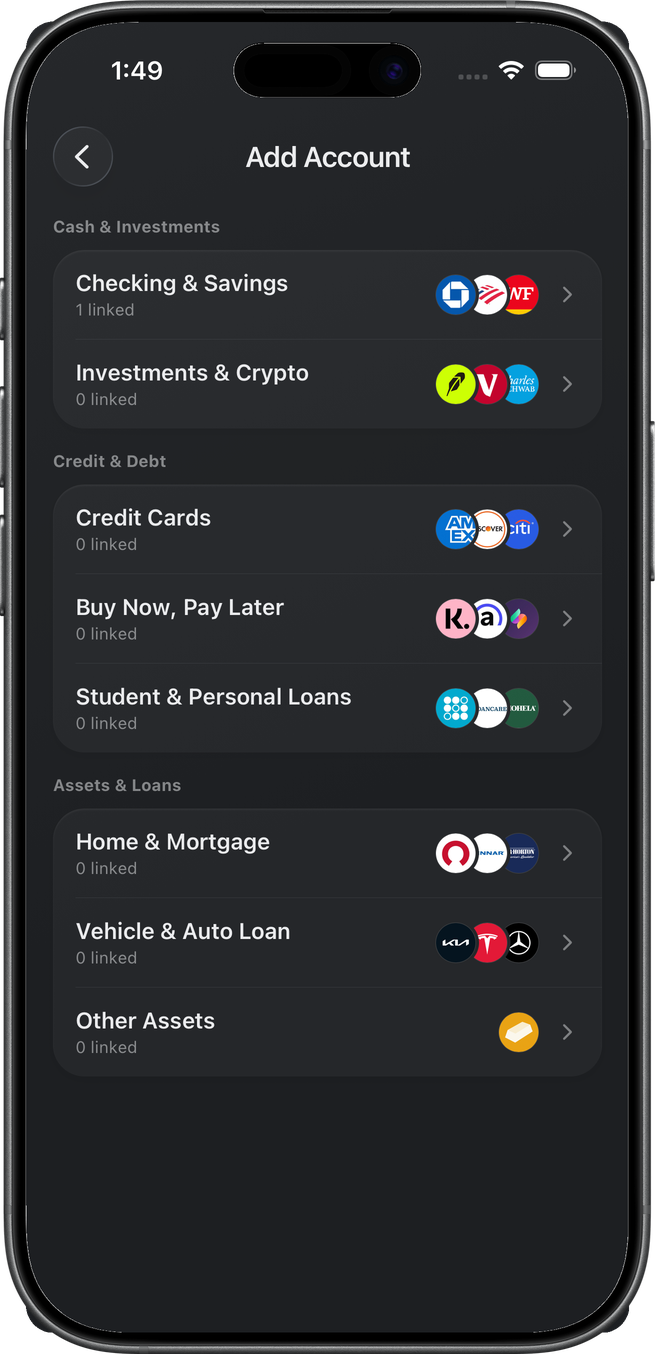
Header + (or an empty-section CTA) opens the catalog. Three groups, eight labels: Cash & Investments (Checking & Savings, Investments & Crypto), Credit & Debt (Credit Cards, Buy Now, Pay Later, Student & Personal Loans), Assets & Loans (Home & Mortgage, Vehicle & Auto Loan, Other Assets). On an iPhone with FinanceKit (iOS 17.4+) the Credit Cards and Checking & Savings institution grids lead with Apple Card / Apple Savings — see Apple Wallet.
Plaid-capable types
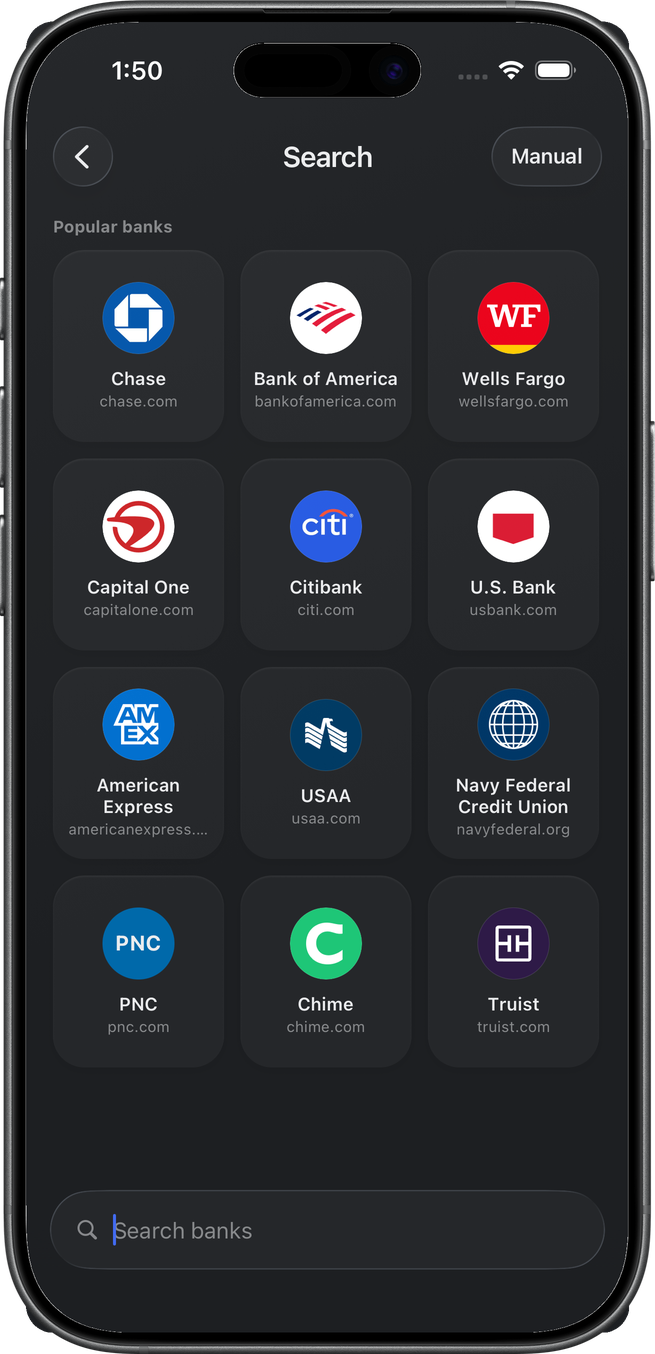
Checking & Savings, Credit Cards, Investments & Crypto, and Student & Personal Loans all open institution search — popular grid plus Search banks. The Manual pill skips Plaid Link. A search with no matches offers Add account manually and Request Connection (name + type, posted to the user-feedback Slack channel). We do not walk the Link SDK overlay.
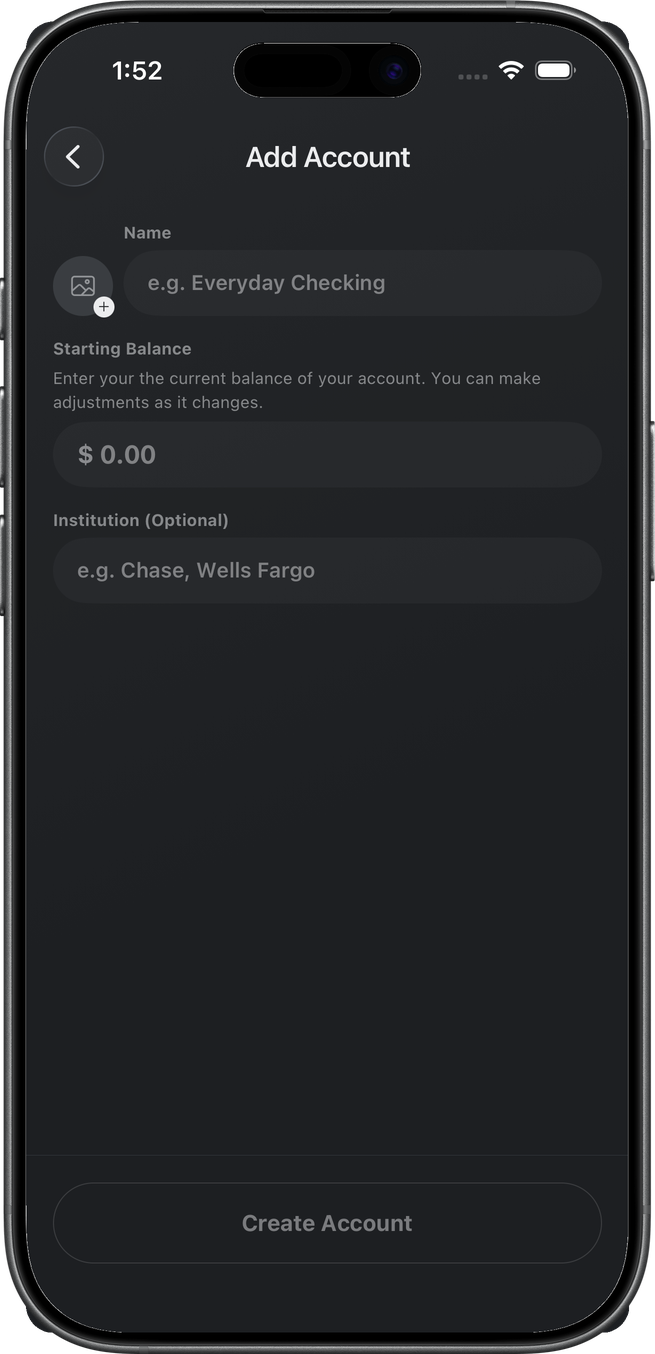
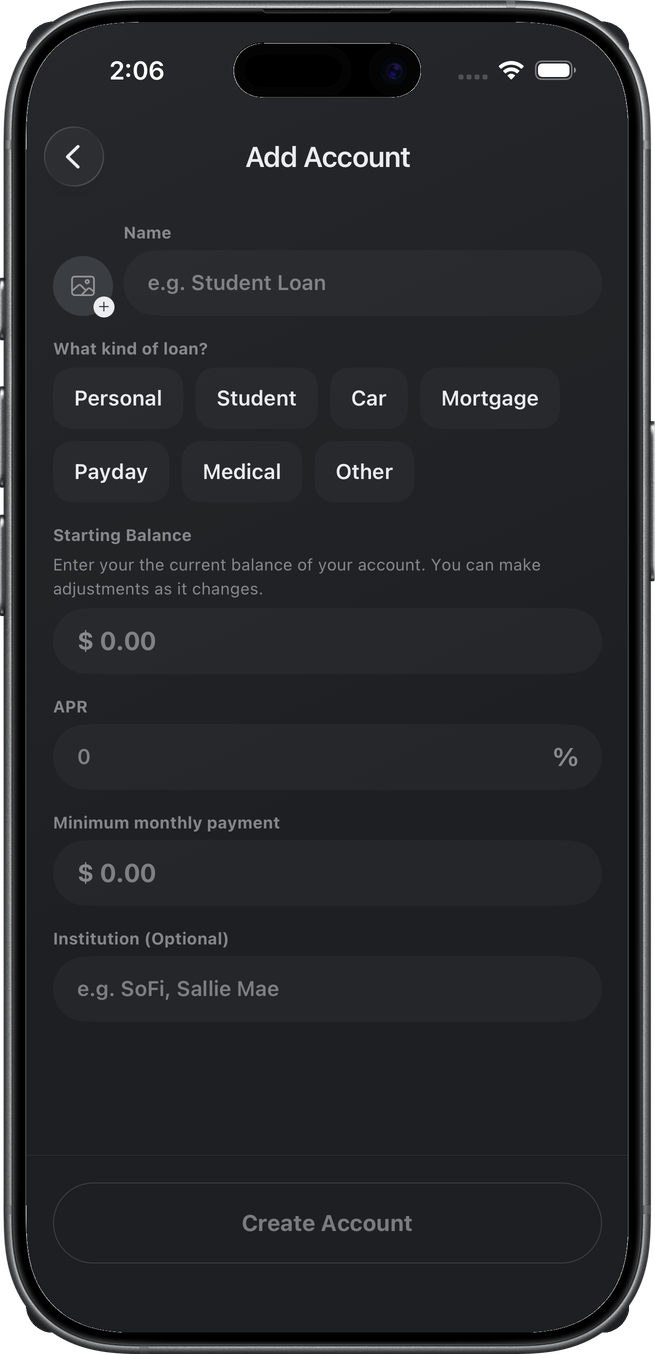
One search stands for all four (the grid only changes category). Manual forms differ: checking is name + starting balance + optional institution; a loan adds kind chips, APR, and minimum payment. Create Account writes the row.
BNPL, property, vehicle, other
These four skip institution search.
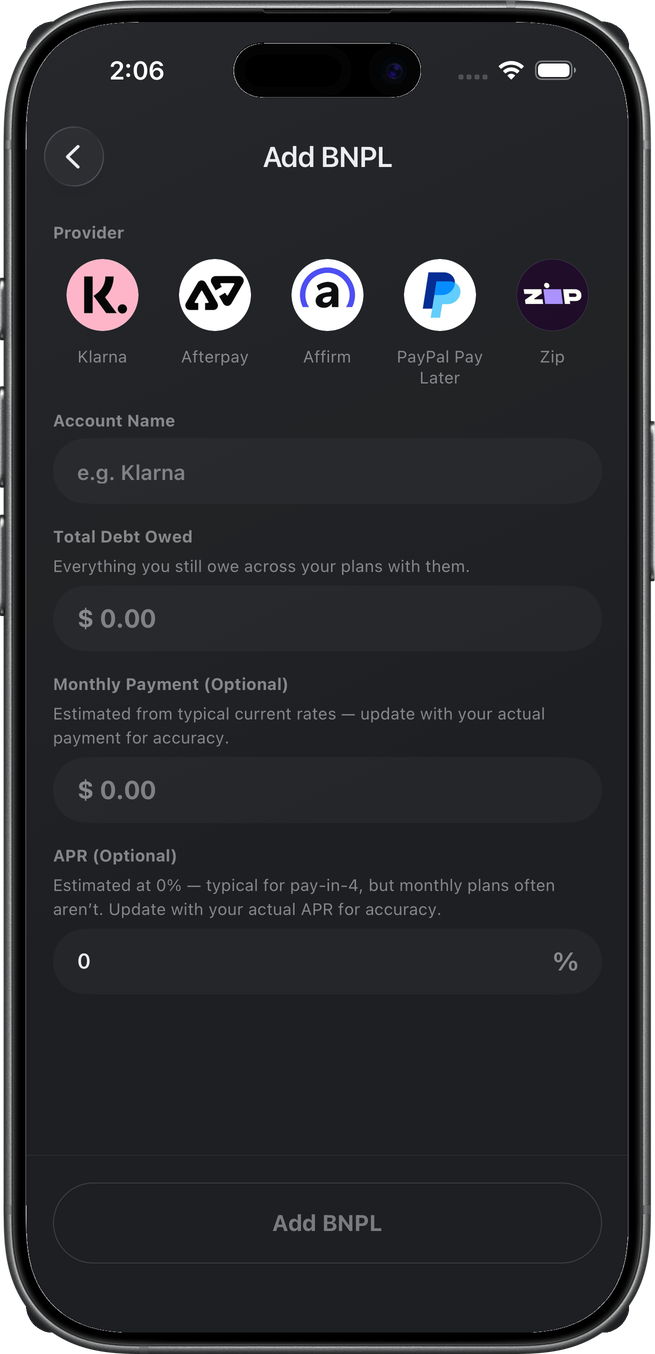
Buy Now, Pay Later is provider chips (Klarna, Afterpay, Affirm, PayPal Pay Later, Zip), name, total owed, optional monthly payment and APR. Add BNPL.
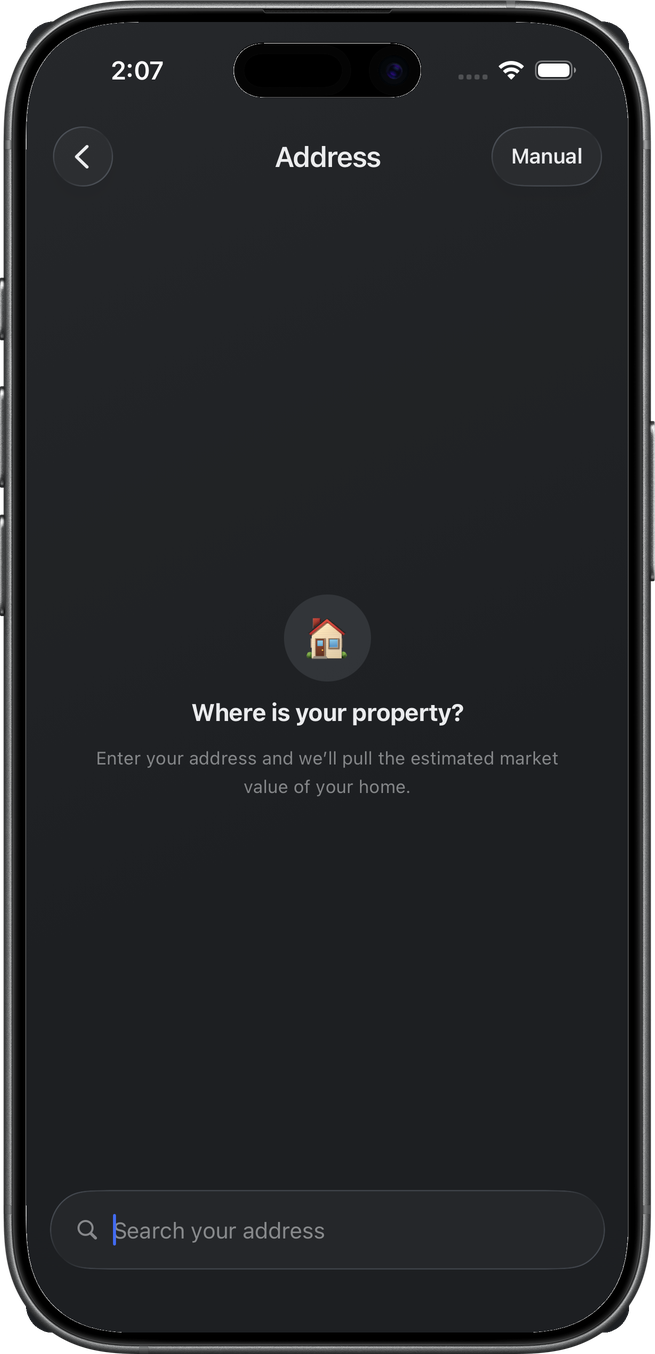
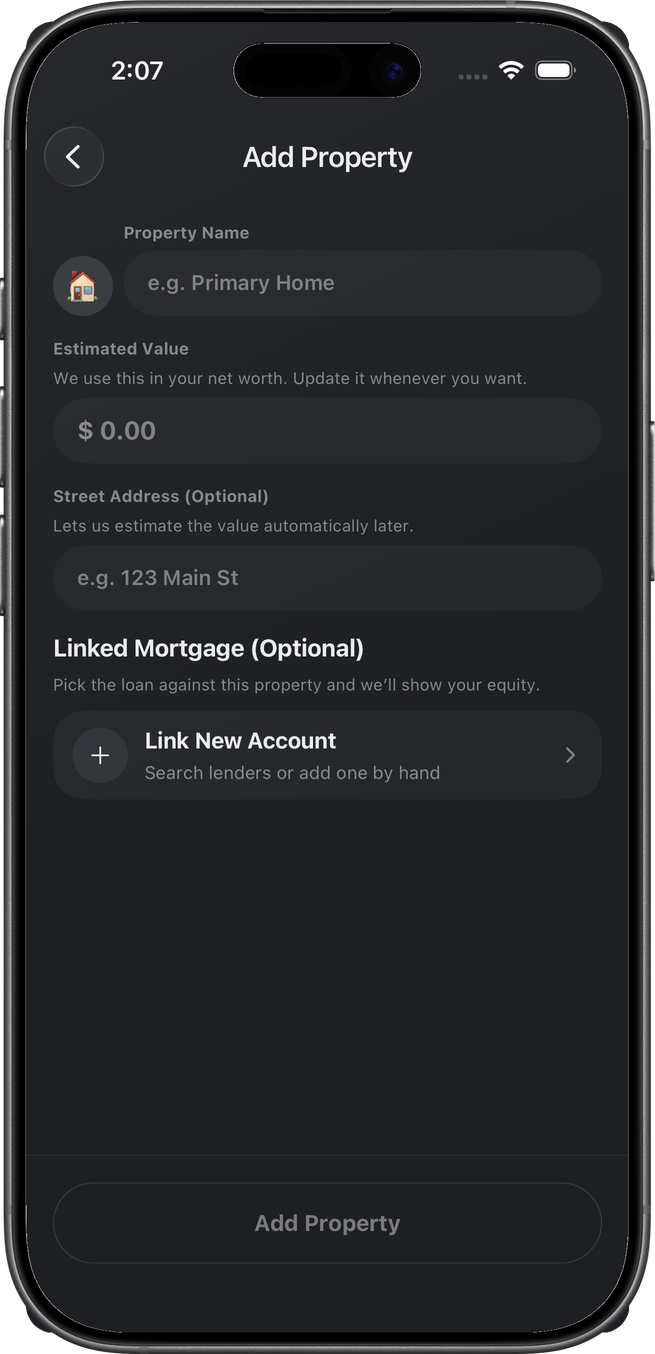
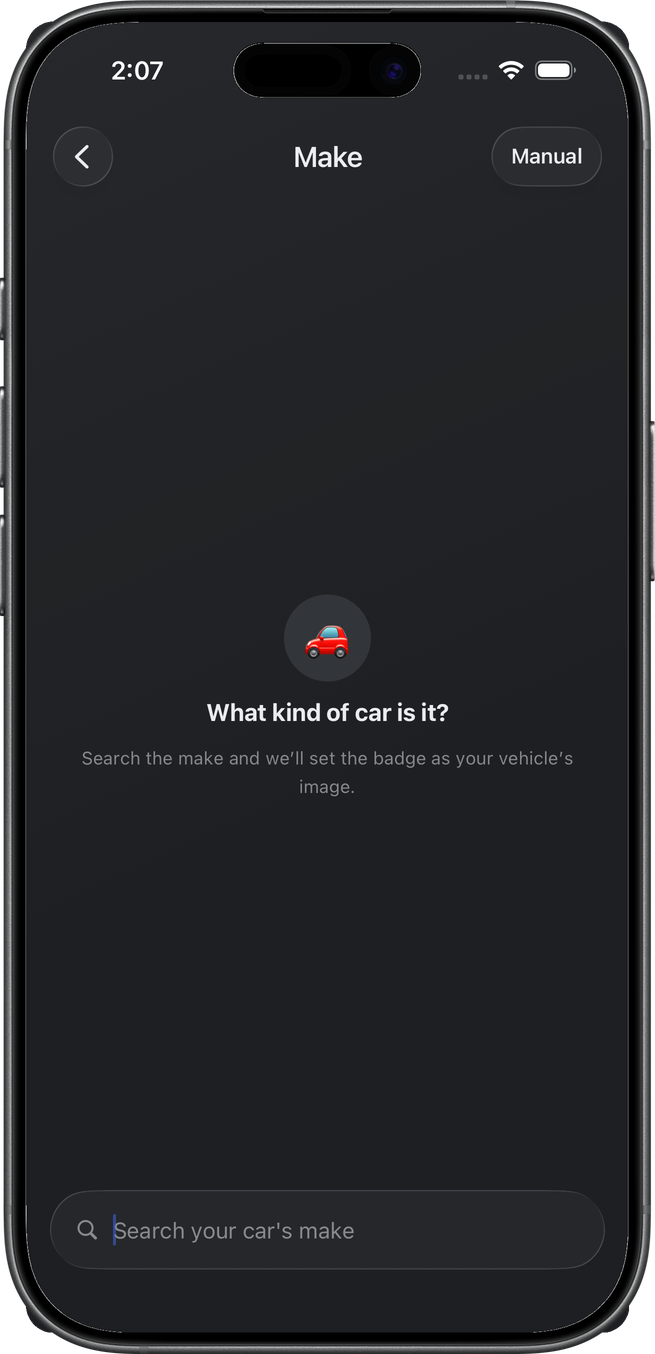
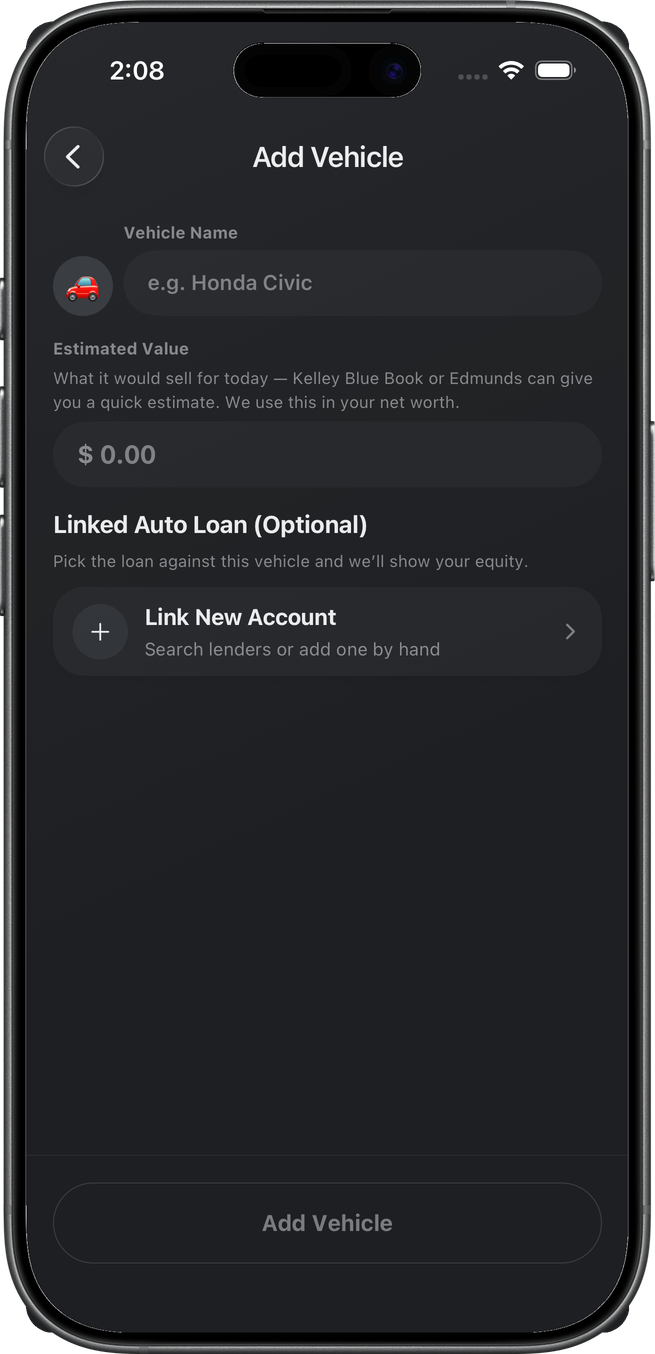
Home & Mortgage starts on address search (“Where is your property?”). Vehicle & Auto Loan starts on make search (“What kind of car is it?”). Both have a Manual pill. This pass finished those types on the manual asset forms (name + estimated value + optional linked loan) — Places confirm and the vehicle estimate step were not walked. Add Property / Add Vehicle.
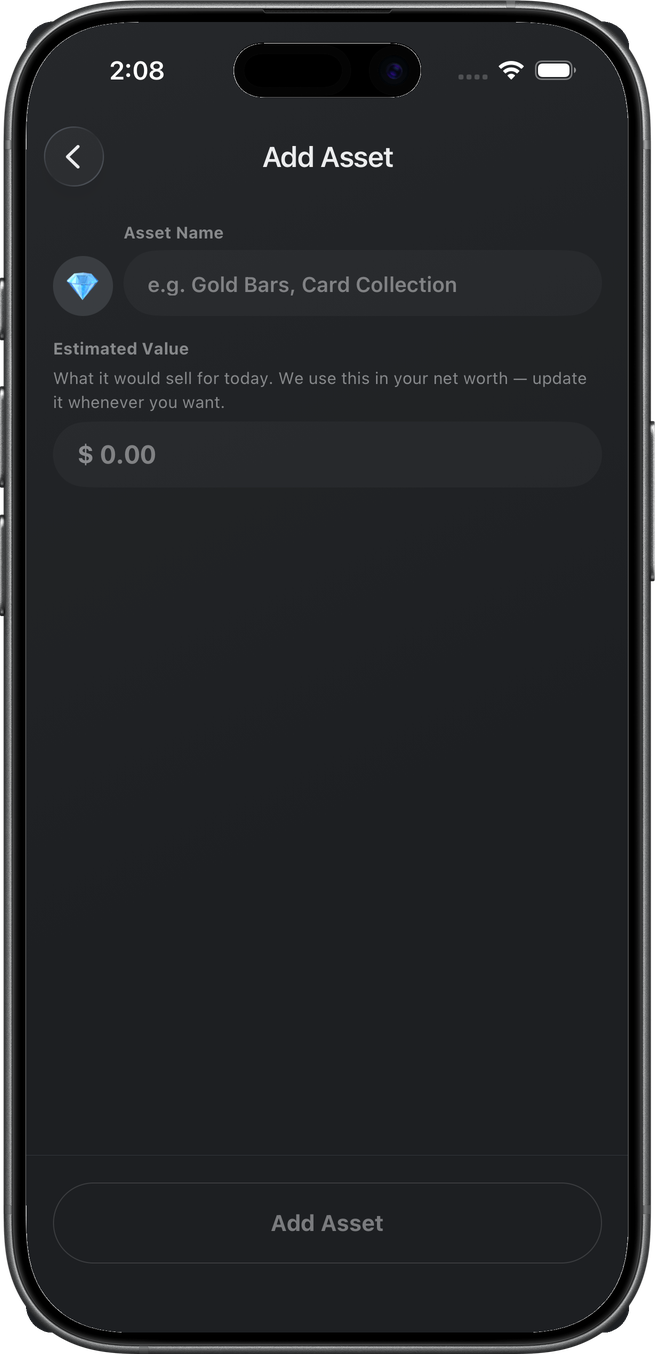
Other Assets is name + estimated value. Add Asset.
Detail
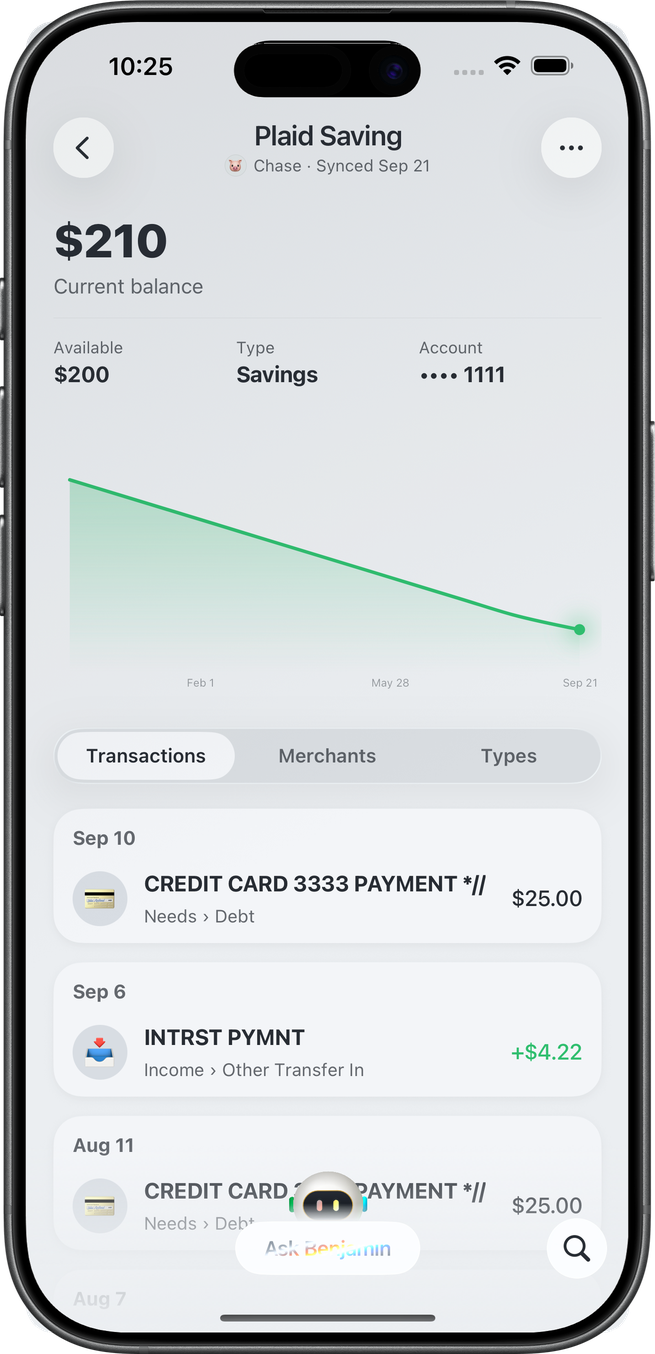
AccountDetailContent. A centered identity header — account name over the institution icon, name, and last synced (name and icon tap to edit) — then the balance hero, a flat label-over-value stat strip (Available / Type / Account on depository; Limit / Available / Utilization on credit; loans wrap to Next payment / Monthly payment / Interest rate / Original principal / Equity, with overdue shown as a red value plus its due date; assets show Equity / Date added), the balance-history chart, and Transactions | Merchants | Types. An asset-backed pair renders a Linked loan / Linked property card under the strip — the counterpart's icon, name, and balance — that hops to the other account.
Overflow (named, not captured): Edit Name, Edit Icon, and Add Notes / Edit Notes on every account you own. Plaid is Remove Account (revoke the space grant). Manual is Delete Account, plus Edit Details / Add Transaction or Edit Value on an asset.
Notes
One free-text note per account. Overflow Add Notes reveals a Notes card under the balance chart, just above the Transactions / Merchants / Types segmented control, with the cursor ready; type, then tap Save (or Done on the keyboard). Once a note exists the card stays, tap the text to edit, and the menu item reads Edit Notes. Clearing the field removes it. Only the account's owner can write the note; a partner who sees the account through the space reads it in place and gets no menu item. Notes cap at 2,000 characters. The same card is on transaction and recurring detail. The Notes card was not captured in this pass.
Related
- Home — Safe to Spend, not net worth
- Transactions — posted activity a checking row opens
- Savings — remainder after budgets
- Plan — goals that can link an account
- Emergency Fund — linked checking
- Apple Wallet — Apple Card, Cash & Savings from the device
- Benjamin — Ask Benjamin on the tab and on detail